Booking management · Updated · KLIOSO Team
How to Look Professional When You Are Just Starting Out
A new beauty professional can look reliable without pretending to be a large salon by making services, prices, availability and booking clear.
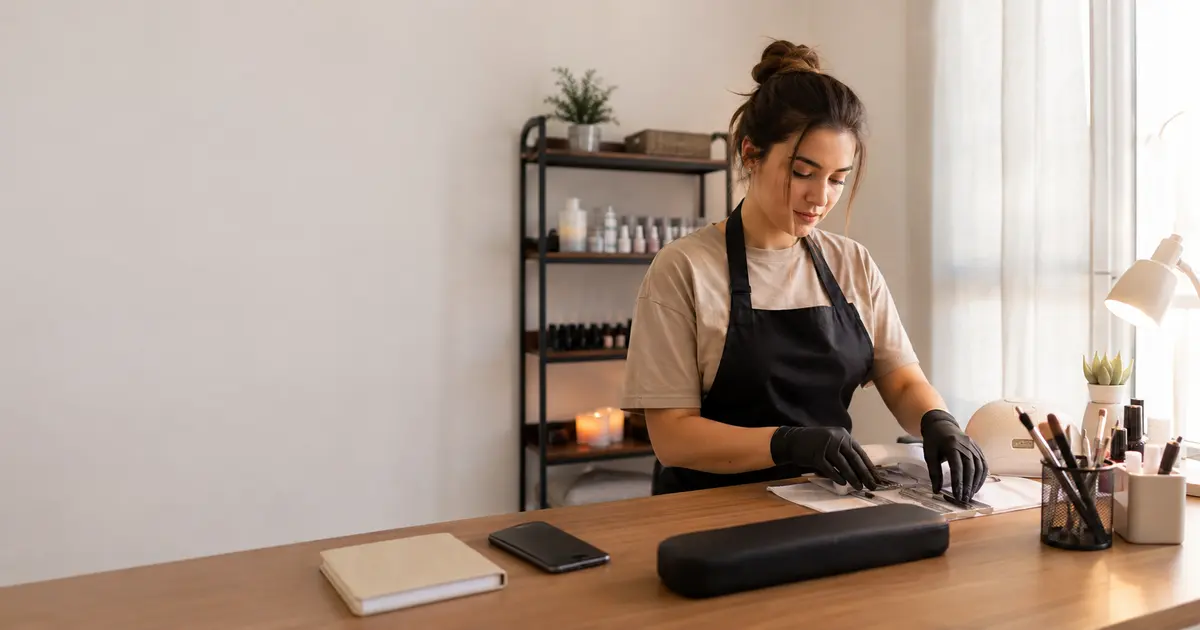
You do not need a large salon, years of experience or an expensive brand identity to look professional when you are starting out. Clients mainly need a clear answer to four questions: what you offer, how much it costs, when you are available and how they can book. A simple, consistent process creates more trust than trying to appear bigger than you are. Start with accurate information, keep your promises and make the next step easy.
Professional means predictable, not luxurious
Professionalism is the feeling that the client knows what will happen next. A tidy workspace matters, but reliability is built through small operational details: you reply consistently, describe services clearly, keep agreed times and do not change conditions unexpectedly. A beginner can establish those habits from the first booking without copying a large salon.
Focus on a short list of visible signals:
- one professional name used consistently across profiles;
- clear services instead of vague private explanations;
- current prices shared before the appointment;
- realistic working hours and available times;
- one understandable route for booking;
- calm confirmation of what the client selected.
Do not hide that your business is new or invent a team, address or experience you do not have. Honest structure feels more trustworthy than inflated claims. Clients can accept a small studio; uncertainty about price, time or booking is much harder to accept.
Start with a small service menu
A long menu does not automatically look established. When similar options have unclear names, a client has to message you before choosing, and you may book too little time for the actual work. Begin with the services you can perform confidently and repeatedly. Give each one a name a client would naturally use, a realistic duration and a current price.
Separate options when their timing differs significantly. For example, a basic manicure and a manicure with removal may need different durations; a short massage and a full session should not share one generic slot. Avoid specialist language that only professionals understand. If a service always requires a consultation, say so rather than pretending it can be booked like a standard appointment. A focused menu is easier to explain, easier to maintain and easier to improve after you learn what clients actually request.
Publish prices without creating confusion
Clear prices make a new professional look prepared and help clients decide without an awkward message. For standard services, publish the amount directly. If the final price depends on length, complexity, materials or an in-person assessment, show a starting price or separate bookable variants and explain the condition briefly.
Before publishing, check that every option has:
- a name that matches the wording in your posts;
- a price you are currently ready to charge;
- a duration that includes normal preparation and finishing;
- a clear distinction from similar services;
- no temporary offer presented as a permanent price;
- a note when consultation is required first.
Do not copy another professional's menu without checking your own time and costs. A lower price does not look professional if it changes at checkout. Consistency between the booking page, messages and the amount charged builds trust faster than a complicated promotional package.
Show only time you can really offer
An online schedule feels professional only when its available times are real. Set working hours around the life and pace you actually have, not the ideal week you hope to maintain. Include the time needed to prepare the space, clean tools, eat, travel or recover between demanding services.
Before opening the calendar to clients:
- enter the days you genuinely accept appointments;
- exclude study, family or other fixed commitments;
- use realistic durations for every service;
- add existing appointments received by phone or message;
- review the next weeks before holidays or travel;
- correct the calendar immediately after changes.
KLIOSO uses configured services, working hours and existing appointments to calculate available options on the public booking page. Keeping those inputs current matters more than showing many openings. A smaller number of reliable slots looks far more professional than repeatedly moving clients after they book.
Make every public detail consistent
A client may meet you first through a recommendation, a social post or a booking link. They should recognize the same professional at every step. Use one name, the same service wording and the same current prices wherever clients make decisions. If your workplace details or contact method change, update the visible information together rather than leaving old versions online.
Consistency does not require a complex visual identity. A clear profile description, real examples of your work and a direct booking route are enough to begin. Avoid stock claims such as “best in the city” or “premium studio” when they cannot be demonstrated. Explain what you do, for whom and how to book. On the KLIOSO public page, clients can choose from the services you configured and see suitable available times in a browser. That practical clarity is part of your reputation from the first day.
Test the journey as if you were the client
Do not share a booking link simply because the page opens on your own device. Complete the entire path from a different phone and read every line as someone who knows nothing about your setup. A test often reveals a vague service name, an outdated price, the wrong duration or a workday accidentally left open.
Run this check before launch:
- open the public link in a normal mobile browser;
- confirm the professional and service names;
- compare displayed prices with your current list;
- choose a service and a genuinely free time;
- enter test details and complete phone verification;
- confirm the appointment appears in your KLIOSO calendar.
Then remove or clearly identify the test appointment so it does not block a real slot. Repeat the test after major changes. A smooth experience is not something you announce; it is something the client notices because nothing causes doubt.
Communicate the new process confidently
Some first clients will still message you, and that is normal. Reply personally, but give them one clear next step instead of listing many times manually. A simple sentence works: “You can choose a service and an available time through my booking page.” If someone needs consultation or a non-standard service, discuss it first and add the confirmed appointment to the calendar yourself.
Do not apologize for using a booking link or present it as a barrier. Explain the benefit: the page contains current services and availability, and the client can choose without waiting for a reply. Ask the first few clients whether any wording was unclear, then improve only what caused real confusion. Professionalism grows through repeated reliable actions. Fast promises, constant discounts and complicated rules cannot replace a process that works the same way every time.
The key point
Looking professional is not about pretending to be larger or more experienced. It is about making the client journey clear and dependable. Publish a focused service menu, prices, realistic durations and working hours, then test the booking flow on another phone. Keep every appointment in the calendar and update information when something changes. KLIOSO can provide the structure for services, availability and public booking; your professionalism comes from keeping that structure accurate and treating every client consistently.
Frequently asked questions
Build trust from day one
KLIOSO gives a new professional a structured way to publish services, manage availability and receive confirmed bookings in one calendar.
Start free ↗