Booking management · Updated · KLIOSO Team
Barber Appointment Scheduling Without an App Download
A barber-specific guide to browser booking that removes download friction while keeping services, chair time and accepted appointments reliable.
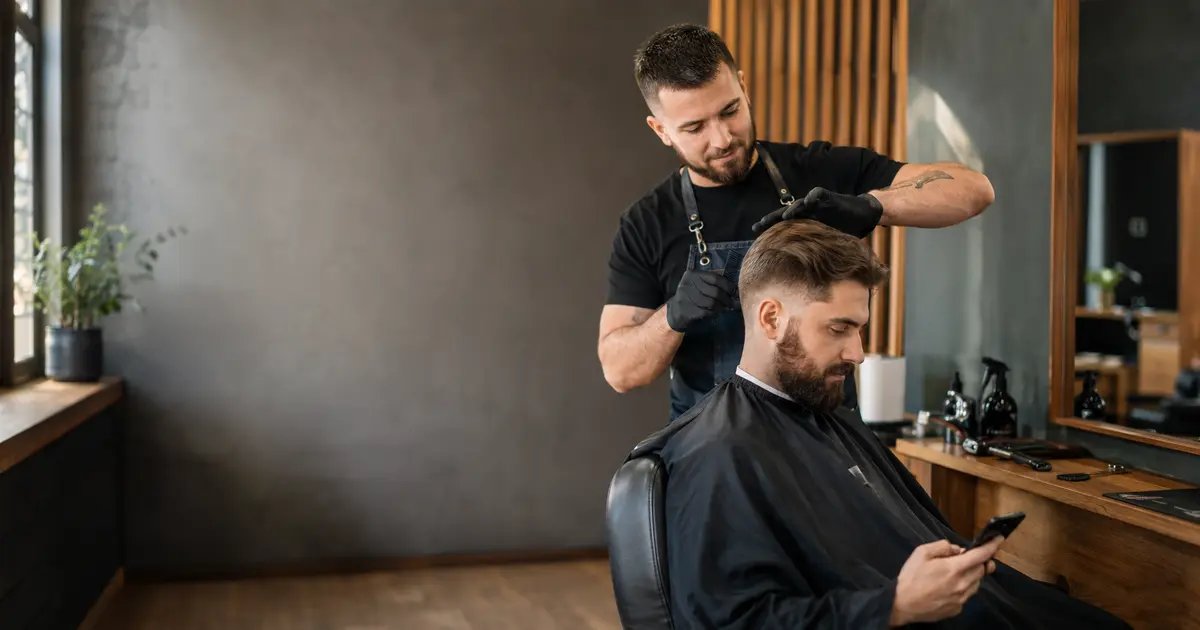
Barber clients do not need another app to request a useful appointment. They can open a public booking page in a phone browser, choose a recognizable service and select a time that is genuinely available. For a barber, however, removing the download is only the beginning. The route must still protect chair time, distinguish bookable services and place the accepted visit into the same operating schedule used for walk-ins, messages and repeat clients.
Begin when the client wants the next cut
The most valuable browser-booking moment often happens before a client leaves the chair. The result is fresh, the barber is known and the likely return interval is easier to judge than it will be weeks later. A client should be able to open the route from a saved link, message, profile or QR code without visiting an app store first. That shortcut matters because downloading, creating a separate client account and finding the correct barber introduce decisions unrelated to the haircut. The aim is not anonymous or careless booking. It is a direct handoff from current intent to a structured request. KLIOSO’s public page can provide that browser route, while the professional continues managing services and appointments in the working product. The client-facing step stays light; the operational record remains usable.
Make the opening screen answer practical questions
A client who opens the page after a haircut may give it only a few seconds. The opening view should remove basic uncertainty before asking for commitment. Check whether it makes these points immediately understandable:
- whose booking page the client has opened.
- which familiar barber services can be selected.
- whether displayed prices and durations match the current menu.
- what the client must choose or enter next.
This is different from adding promotional copy. A long biography, broad claims or dozens of near-identical options can hide the action the visitor came to complete. Use service names spoken naturally at the chair, such as haircut, beard trim or a clearly defined combination. If a label needs a verbal explanation every time, it is not yet ready for independent browser booking. The first screen succeeds when a returning client can recognize the right path without asking a new question.
Offer decisions clients can make safely alone
No-download booking works best when the public menu contains choices a client can identify without professional diagnosis. Divide the barber’s work by the decision the visitor understands, not by every internal technique. A practical public set may include:
- a standard haircut with a realistic complete duration.
- a beard service with a distinct time requirement.
- a defined haircut-and-beard combination.
- a consultation-first route for uncertain transformations.
Do not disguise a major restyle as an ordinary haircut merely to keep the menu short. If long-to-short changes, corrective work or another uncertain request can alter timing substantially, ask for prior contact instead of exposing a misleading slot. This boundary protects both parties: the client sees options that mean what they say, and the barber avoids accepting work that cannot fit the selected time. Simplicity comes from a well-drawn scope, not from pretending every visit is identical.
Let availability represent actual chair capacity
A smooth browser flow becomes harmful if it offers time that the barber cannot honor. Availability should be produced from working hours, the chosen service duration and appointments already occupying the schedule. Before sharing the route, inspect a normal busy day and account for the entire footprint of each visit: greeting, consultation, cutting, finishing, payment and reset. Also decide where breaks and the final acceptable start belong. A client choosing 16:00 is not buying an abstract timestamp; that person is reserving enough chair capacity for a specific service. KLIOSO uses configured service duration, availability and existing appointments to present possible starts. Accurate inputs therefore matter more than a visually attractive page. When a duration repeatedly runs short, correct the service definition rather than expecting later clients to absorb the delay.
Record every promise in the same operating picture
Browser bookings are only reliable when other accepted visits are visible to the same schedule. A solo barber may still receive walk-ins, calls and direct messages, and those channels do not disappear when a public page launches. Use one operating rule:
- enter a confirmed message request as soon as it is accepted.
- reserve a walk-in before promising the next available chair time.
- choose the correct service instead of using a generic placeholder.
- check the calendar before offering an exception verbally.
This discipline is not about forcing every client through one entrance. It is about preventing separate entrances from claiming the same capacity. If a message appointment stays only inside a chat, the browser cannot know that the chair is occupied. KLIOSO allows the professional to create and manage appointments alongside public requests, giving each commitment a place in the working day.
Give stalled clients a useful fallback
Some clients will pause because they do not know the service name, cannot find a suitable start or want a change that is difficult to classify. The fallback should preserve the information already made clear instead of restarting a long scheduling conversation. Invite the client to send one precise question, such as whether a transformation requires consultation, and keep the public route available for the final selection. Avoid promising that every edge case can be completed without human help. Browser booking should handle repeatable work efficiently while making uncertain work visible early. For clients who prefer direct help, the barber can create the appointment manually after agreeing on scope and time. The important distinction is that assistance resolves an exception; it does not turn every ordinary haircut into a chain of availability messages.
Test the route at barbershop speed
Evaluate the page in the conditions where clients will actually use it: one hand, a phone connection and limited attention near the end of a visit. Complete several distinct cases and inspect the resulting calendar entry after each one:
- a returning client selecting a standard haircut.
- a new visitor choosing a clearly defined combination.
- a request made while another appointment already occupies the chair.
- a client who stops because the required service is intentionally excluded.
Check names, durations, available starts and client details rather than judging only whether the page loaded. Then repeat the route after changing working hours or a service duration. A good test proves two outcomes at once: the client can finish without installing software, and the barber receives an appointment that can be delivered as promised. Anything less merely moves scheduling confusion into a cleaner-looking screen.
The key point
No-download barber booking should shorten the client’s path without weakening the schedule behind it. Present services clients can identify alone, calculate starts from real chair capacity and record walk-ins or message commitments before they compete with browser availability. Leave uncertain transformations behind a focused conversation, then enter the agreed visit manually. KLIOSO supplies the public booking page and the professional appointment structure for this division of work. Success means a client books through a few clear browser decisions and receives a visit that genuinely fits the barber’s working day.
Frequently asked questions
Keep Every Chair Slot Credible
KLIOSO connects browser bookings, barber services, working availability and client details with the appointments used to run the day.
Start free ↗