Booking management · Updated · KLIOSO Team
How QR Code Appointment Booking Works
See what happens after a client scans a booking QR code, which page settings matter, and how to test the complete journey before sharing it.
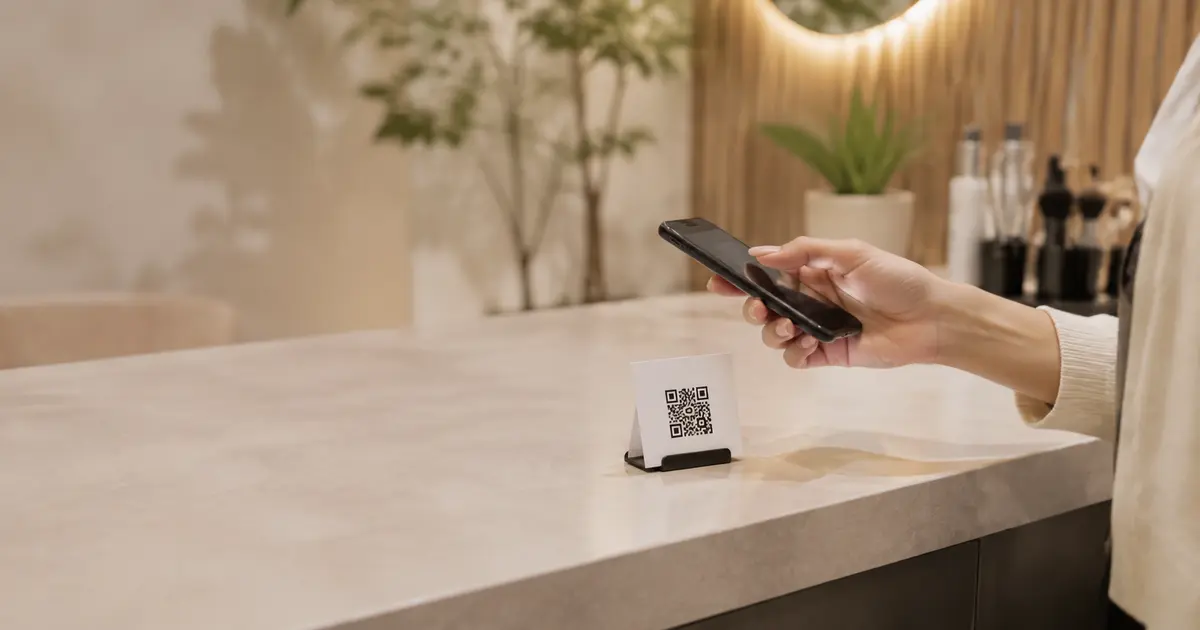
A QR appointment system works by turning a printed pattern into a direct route to an online booking page. The scan itself does not reserve a slot: it opens the destination where the client chooses a service, sees suitable availability, enters required details and confirms a phone number. A dependable flow therefore has two parts—the code and the live page behind it. Test both together before putting the code in front of clients.
Understand exactly what the scan does
A QR code is a compact way to store an address. When a client points a compatible phone camera at it, the phone offers to open that address. For KLIOSO bookings, the address should be the professional’s public booking link. KLIOSO supplies that link; a reputable external QR tool can turn it into a static graphic. This distinction prevents unrealistic expectations about what the square itself controls.
The scan should do only one job: deliver the client to the correct starting page. It does not independently know your schedule, create an appointment or verify a phone. Those actions happen on the live page. A clean route has these boundaries:
- the printed code stores the public address;
- the phone camera reads the pattern;
- the browser opens the booking page;
- KLIOSO presents configured choices;
- the client completes the required booking steps.
Prepare the page before creating the code
The destination deserves attention before the graphic. Open the public booking link as a client and review the first decision it presents. Service names should be understandable without internal abbreviations. Prices and durations should match what you currently offer, because duration affects which starting times can fit. Working hours, breaks and existing appointments must also reflect the real calendar.
Avoid encoding a social profile, home page or document that merely contains another link. Each detour adds a choice unrelated to booking and makes problems harder to diagnose. A direct public page also lets the content stay current while the printed code remains unchanged, as long as the public address itself stays stable. If you later replace that address, every static code pointing to the old one must be updated. Treat the URL as the durable connection between the physical card and the live schedule.
Map the client journey after the scan
Someone who scans should immediately know where they arrived and what to do next. The route is easier to review when written as a sequence rather than described as “online booking.” In KLIOSO, a typical public path moves from the configured offer to a finalized appointment:
- scan the physical code with a phone camera;
- open the public page in a browser;
- choose a clearly named service;
- select a suitable available time;
- enter the required client details;
- complete phone confirmation and finish.
Do not advertise the scan as an instant booking or a one-tap action. Connectivity, service choice and verification all take real time. A more accurate instruction beside the code is “Scan to choose a service and time.” It sets the right expectation without explaining every screen. If a service needs consultation before a time can be promised, keep that boundary clear instead of forcing a variable request through a standard slot.
Choose a stable code without confusing redirects
A static QR code normally contains the public booking address directly. It is a sensible choice when that address is expected to remain stable: there is no extra redirect account to expire, no tracking dashboard to maintain and no subscription controlling the printed object. The trade-off is straightforward—if the destination URL changes, the printed pattern cannot be edited.
Some QR services offer editable redirects. They may be useful in other campaigns, but they introduce another provider between the card and the booking page. If that provider changes its rules, disables the redirect or adds an interstitial page, your scan route can fail even while KLIOSO is working. For a core appointment entrance, reliability matters more than decorative features. Save the exact destination alongside the print file, record where copies are used, and avoid shortening the link through an unfamiliar service just to make the code look different.
Test the complete route, not only the pattern
A camera recognizing the square is not enough. Test the actual artifact at its final size and material, then continue until a complete appointment appears where the professional expects it. Use ordinary mobile data as well as studio Wi-Fi; a flow that works only on your own network is not ready.
Run a practical test set:
- scan with both iPhone and Android cameras;
- try the card in its real lighting and distance;
- confirm the exact public page opens without a detour;
- book a short and a long configured service;
- finish phone confirmation and inspect the appointment.
Also try a time that has just been occupied and a day with limited working hours. This checks the live availability behind the code rather than the artwork alone. Remove test appointments afterward so they do not block genuine time. Repeat the route whenever the public address, service setup or printed design changes.
Diagnose friction by the step where it appears
You do not need QR analytics to find obvious weaknesses. Ask a few people who have not seen the setup to use the card without coaching. Note the first place they pause, choose the wrong option or ask a question. A failure before the page opens points to size, contrast, lighting or camera distance. A failure after opening belongs to the destination, service wording, availability or confirmation explanation.
Keep the diagnosis tied to observable steps. “Nobody likes QR codes” is not useful if the real problem is a glossy card that reflects ceiling lights. “The booking page is confusing” is too broad if clients consistently stop at one unclear service name. Correct the earliest obstacle, rerun the same test and keep a normal clickable booking link available for clients who already see the code on the phone they would use to book. QR is an entrance for physical contexts, not the only route.
The key point
QR appointment booking is a connected journey, not a magic square. The printed code should open one stable public address; the live page should present accurate services, suitable availability, required details and phone confirmation in an understandable order. Build the destination first, encode its link without an unnecessary redirect, and test from the physical scan through the completed appointment. When a client hesitates, identify the exact step before changing anything. KLIOSO manages the booking path behind the link, while the professional keeps its content and physical entrance trustworthy.
Frequently asked questions
Build a Reliable Scan Flow
KLIOSO connects your public link, services, working availability, client details and phone confirmation in a clear booking route.
Start free ↗