Booking management · Updated · KLIOSO Team
Where to Place a QR Code for Client Booking
A practical placement guide for booking QR codes on mirrors, checkout signs, cards and windows, with clear testing and maintenance rules.
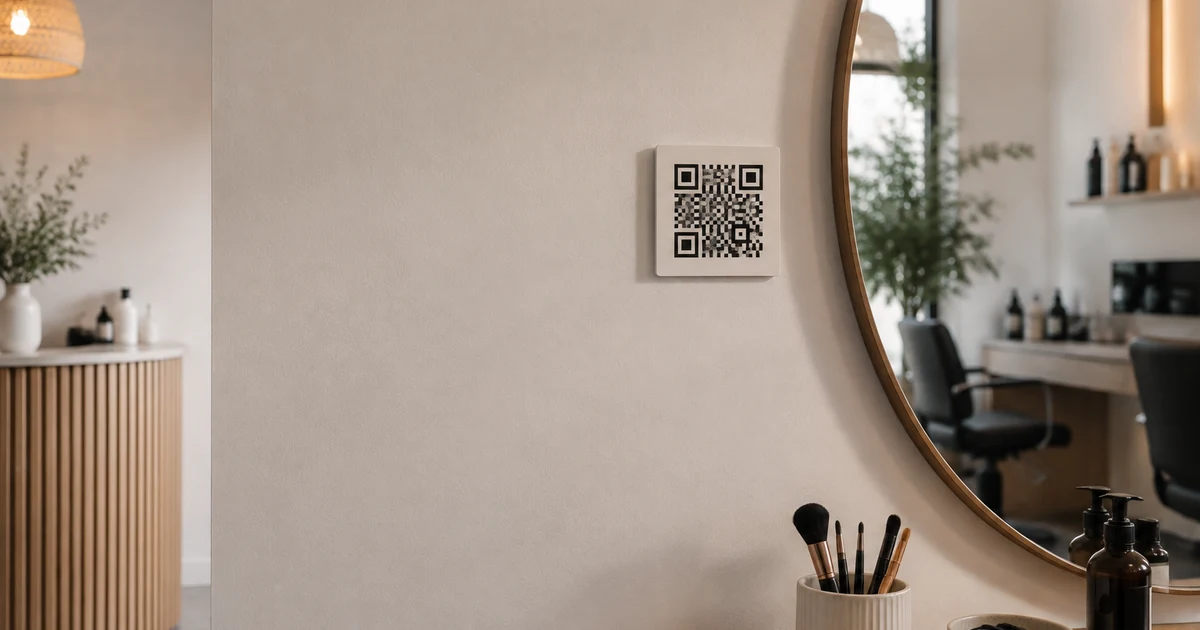
Place a booking QR code where a client naturally pauses, has a phone available and is already thinking about the next visit. Checkout, a small mirror-side sign and a take-home card usually work better than a random wall. The surface alone is not enough: the code needs a clear instruction, a direct booking destination and testing in the real environment. Good placement removes a step. Poor placement becomes decoration, creates glare or asks someone to scan a code shown on the same phone.
Choose The Moment Before The Surface
Start with the client’s situation, not a list of printable objects. A useful QR code appears when booking feels relevant and scanning is socially comfortable. A client may have time while waiting, after seeing the finished result, or during checkout. They are less likely to scan while holding bags, wearing protective eye pads or moving through a doorway.
Evaluate each candidate position with five questions:
- Does the client naturally stop there?
- Is the next appointment relevant at that moment?
- Can they hold and focus a phone comfortably?
- Is there enough light without strong reflection?
- Can they understand what opens before scanning?
KLIOSO supplies the public booking link that the code can encode. It does not decide the physical placement. One position aligned with a real decision is more valuable than many codes scattered around the room.
Use Mirrors And Checkout For Different Reasons
A mirror-side card works when the client can see the result and think about maintaining it. Keep the code outside the working area, away from water, product spray and tools. Place it where the phone can face the card without the client twisting in the chair. Reflective glass can reduce contrast, so test the installed card rather than only the digital artwork.
Checkout serves a different moment: the current visit is complete and the next step is easy to explain. A small upright sign can work beside the payment area if it does not compete with price notices, tips or product displays. Do not make scanning a condition of payment. Give the client room to finish first, then offer the code as an optional shortcut to the live booking page. These two placements support different decisions and should not use identical surrounding copy.
Make Take-Home Materials Useful Later
A business card or aftercare card lets the client scan after leaving. This is useful when checkout is busy or the person does not want to choose a date immediately. The QR code should not replace the professional’s name, booking instruction or another readable way to recognize the destination.
Before printing a batch, check:
- enough blank margin around the code;
- strong contrast against the card background;
- no fold, hole or rounded cut through the pattern;
- a short instruction such as “Scan to choose a time”;
- the final code after export, printing and trimming.
Avoid third-party redirects that may expire if a static code can point directly to the stable public booking link. If the destination address changes, old cards will stop being useful, so confirm the link before ordering a large quantity.
Treat Windows And Entrances With Caution
A window or entrance can reach people outside working hours, but it is also the hardest environment. Distance, sun, reflections, rain and security film can interfere with scanning. A passerby may also be unwilling to stand close to a door. Test the code from the public side at several times of day and never assume that a clear indoor test proves outdoor performance.
Consider the full setting: whether the studio name is visible, whether the instruction explains online booking, and whether the code can be reached without entering private space. Do not place it where opening doors cover it or where temporary posters will overlap it. If the position cannot remain readable, use a simple printed booking address as a fallback. A window code is an additional access point, not a replacement for a clickable link in online profiles and messages.
Test The Complete Route, Not Just The Square
A camera recognizing the pattern is only the first test. The code must open the intended page, the page must load in a browser, and the visible services and times must be current. Test with the final material in its actual position rather than scanning a large file on a monitor.
Run a practical check:
- scan with more than one phone camera;
- test from the expected distance and angle;
- confirm the direct booking page opens;
- choose a typical service and inspect available times;
- repeat after moving, laminating or reprinting the sign.
KLIOSO calculates offered times from configured availability and existing appointments. Keep those settings current so an easy scan does not lead to an inaccurate choice. Remove any test booking afterward so it cannot occupy a real slot.
Maintain Every Physical Copy
Printed codes are easy to forget after installation. Create a short inventory of where each copy sits and inspect it when the booking address, room layout or printed materials change. Replace cards that are faded, scratched, covered or surrounded by outdated instructions.
Maintenance also means checking the destination. Review the public page after changes to services, prices, durations or working hours. If one placement repeatedly causes questions, change the instruction or move the code instead of adding more copies. Keep a normal clickable link in social profiles and messages because a person cannot conveniently scan a code displayed on the same phone. The physical code and digital link should lead to the same clear booking route, while each remains suited to its medium.
The Key Point
The best booking QR placement combines the right moment, a scannable surface and a dependable destination. Use mirror-side signs for the moment clients see the result, checkout for an optional next step, and take-home cards for later decisions. Test the finished print where it will actually sit, then check the whole browser booking route. KLIOSO provides the public link behind the code; thoughtful placement makes that link easier to reach. A few maintained, purposeful copies outperform QR squares placed everywhere without context.
Frequently asked questions
Connect Print To Booking
KLIOSO turns the link behind a carefully placed QR code into a browser booking route for choosing a service and available time.
Start free ↗